Gutenberg
Gutenberg 지원이 기본으로 내장되어 있어, Gutenberg 콘텐츠 내의 모든 블록을 번역할 수 있습니다.
Gato AI Translations for Polylang은 Gutenberg 콘텐츠의 블록에서 문자열을 추출하여 해당 문자열만 번역하므로, 콘텐츠가 어떠한 방식으로도 손상되지 않습니다.
기본적으로 다음 블록 유형이 자동으로 지원됩니다:
- WordPress 코어 블록
- PHP 전용 블록
- Advanced Custom Fields (ACF) 블록
wpml-config.xml을 포함하는 모든 블록- 서드파티 블록:
- Kadence Blocks
- Greenshift blocks
- GenerateBlocks blocks
- Yoast SEO blocks
지원되는 WordPress 코어 블록
다음 WordPress 코어 블록이 기본으로 지원됩니다:
core/audiocore/block(동기화 패턴)core/buttoncore/covercore/embedcore/headingcore/htmlcore/imagecore/listcore/list-itemcore/media-textcore/paragraphcore/preformattedcore/pullquotecore/quotecore/tablecore/versecore/video
PHP 전용 블록
WordPress 7.0부터 블록을 PHP 전용(JavaScript 번들 없음)으로 등록할 수 있습니다. Gato AI Translations for Polylang은 이를 다른 블록과 동일하게 처리하며, 추가 설정 없이 기본으로 지원됩니다.
모든 문자열 속성(열거형 및 기타 스칼라 타입 제외)은 번역 대상으로 자동 등록됩니다.
특정 필드를 번역하지 않으려면 gatompl:gutenberg_block_type_translatable_attribute_regexes 훅에서 false로 설정하거나(또는 unset하여)제외할 수 있습니다:
add_filter(
'gatompl:gutenberg_block_type_translatable_attribute_regexes',
static function (array $regexes): array {
// Either of these works:
unset($regexes['my-plugin/alert']['header']);
$regexes['my-plugin/alert']['implications'] = false;
return $regexes;
}
);Advanced Custom Fields (ACF) 블록
Advanced Custom Fields로 등록된 블록도 기본으로 지원됩니다. ACF 필드를 번역에 등록하는 방법은 3가지가 있습니다:
1. 모든 필드 자동 등록(설정 페이지에서)
설정 페이지의 Plugin Integration Configuration > Advanced Custom Fields로 이동하여 Translate ACF blocks automatically? 옵션을 활성화합니다:
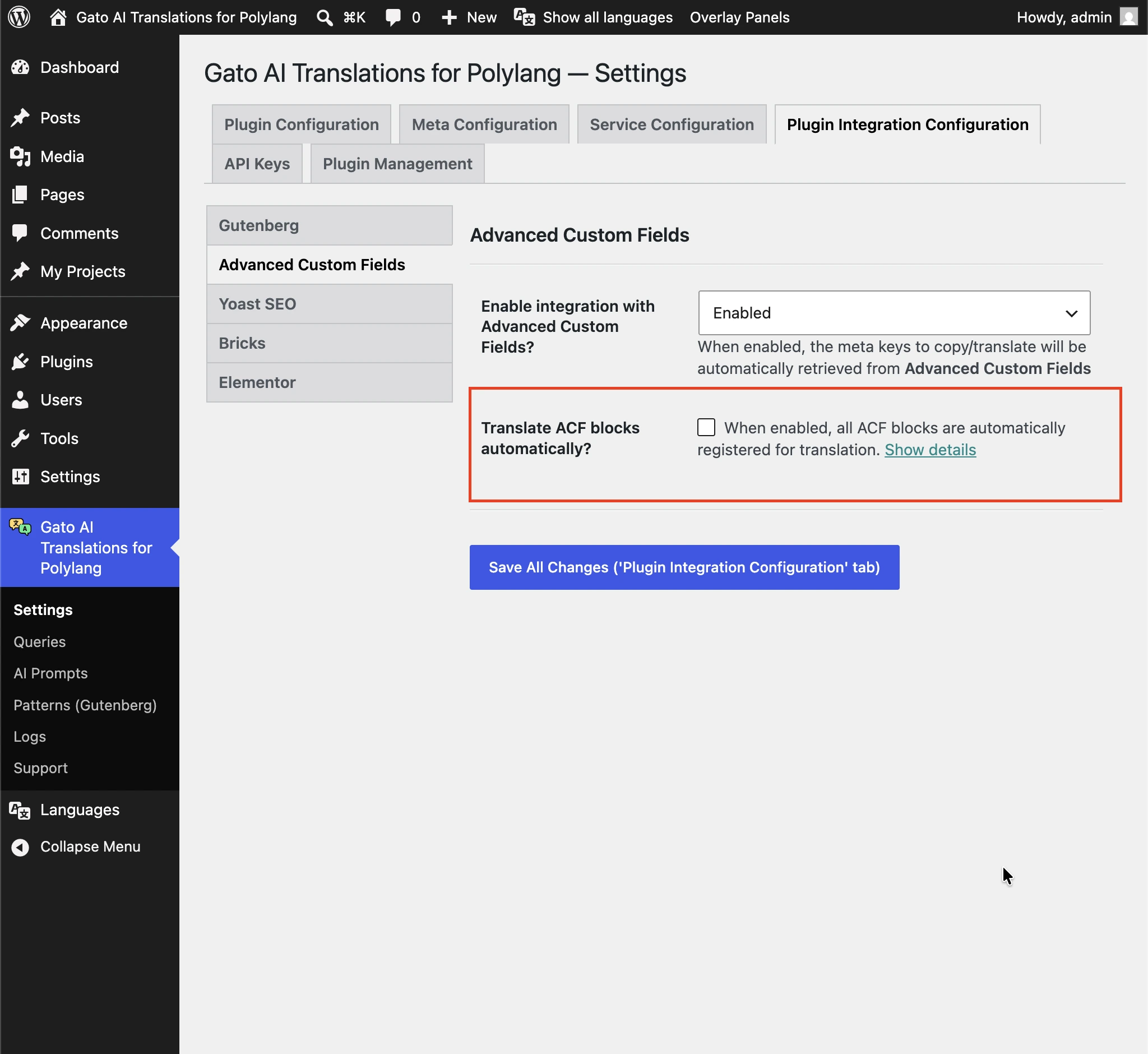
활성화하면 모든 ACF 블록의 모든 번역 가능한 문자열 필드가 번역에 전송됩니다. 특정 필드를 번역하지 않으려면 표준 ACF 훅 acf/load_field에서 gatompl을 'skip'으로 설정하여 제외합니다:
// Disable translation for a single field by key
add_filter(
'acf/load_field/key=product_card_sku',
static function (array|false $field): array|false {
if (is_array($field)) {
$field['gatompl'] = 'skip';
}
return $field;
}
);
// Or disable several fields at once
add_filter(
'acf/load_field',
static function (array|false $field): array|false {
if (
is_array($field) && in_array($field['key'] ?? null, [
'product_card_feature_title',
'product_card_specs_dimensions',
'product_card_section_text_heading',
])
) {
$field['gatompl'] = 'skip';
}
return $field;
}
);2. 필드별 등록(ACF 필드 그룹 설정에서)
acf_add_local_field_group()으로 필드 그룹을 정의할 때, 번역하려는 각 필드에 'gatompl' => 'translate'를 직접 추가합니다:
acf_add_local_field_group([
'key' => 'group_testimonial',
'title' => 'Testimonial Block',
'fields' => [
[
'key' => 'testimonial_text',
'label' => 'Testimonial',
'name' => 'testimonial',
'type' => 'textarea',
'gatompl' => 'translate',
],
[
'key' => 'testimonial_role',
'label' => 'Role',
'name' => 'role',
'type' => 'text',
// Option-array form — equivalent to `'gatompl' => 'translate'`,
// but leaves room for future plugin-side options on the same field
'gatompl' => [
'translation_configuration' => 'translate',
],
],
[
'key' => 'testimonial_featured_post',
'label' => 'Featured post',
'name' => 'featured_post',
'type' => 'post_object',
'post_type' => ['post'],
'return_format' => 'object',
'gatompl' => 'translate', // The referenced post ID is remapped to the target-language post
],
],
'location' => [
[
[
'param' => 'block',
'operator' => '==',
'value' => 'acf/testimonial',
],
],
],
]);이는 post_object, relationship, taxonomy, image, gallery, repeater 필드에서도 동작합니다. 플러그인은 중첩된 리피터 경로를 어떤 깊이까지도 탐색하며, 엔티티 참조(게시물, 분류, 미디어)를 대상 언어의 해당 항목으로 재매핑합니다.
3. 필드별 등록(acf/load_field 훅에서)
필드 그룹 등록을 수정할 수 없는 경우, 제외에 사용하는 것과 동일한 ACF 훅을 통해 필드를 포함할 수 있습니다:
add_filter(
'acf/load_field/key=testimonial_text',
static function (array|false $field): array|false {
if (is_array($field)) {
$field['gatompl'] = 'translate';
}
return $field;
}
);ACF 블록 등록
참고로, 위의 필드 그룹과 함께 사용하는 최소한의 블록 등록 예시입니다(ACF PRO의 acf_register_block_type 사용):
add_action('acf/init', function (): void {
if (!function_exists('acf_register_block_type')) {
return;
}
acf_register_block_type([
'name' => 'testimonial',
'title' => 'Testimonial',
'description' => 'A testimonial block.',
'render_template' => plugin_dir_path(__FILE__) . 'acf-blocks/testimonial/template.php',
'category' => 'widgets',
'icon' => 'format-quote',
'keywords' => ['testimonial', 'quote'],
'mode' => 'preview',
]);
});WPML Config
Gato AI Translations for Polylang은 모든 플러그인에 포함된 wpml-config.xml을 자동으로 읽어 어떤 블록 속성이 번역 가능한지 판단합니다.
Attempt Recovery 알림
번역 후 일부 블록이 에디터에서 Attempt Recovery 알림을 표시할 수 있습니다:
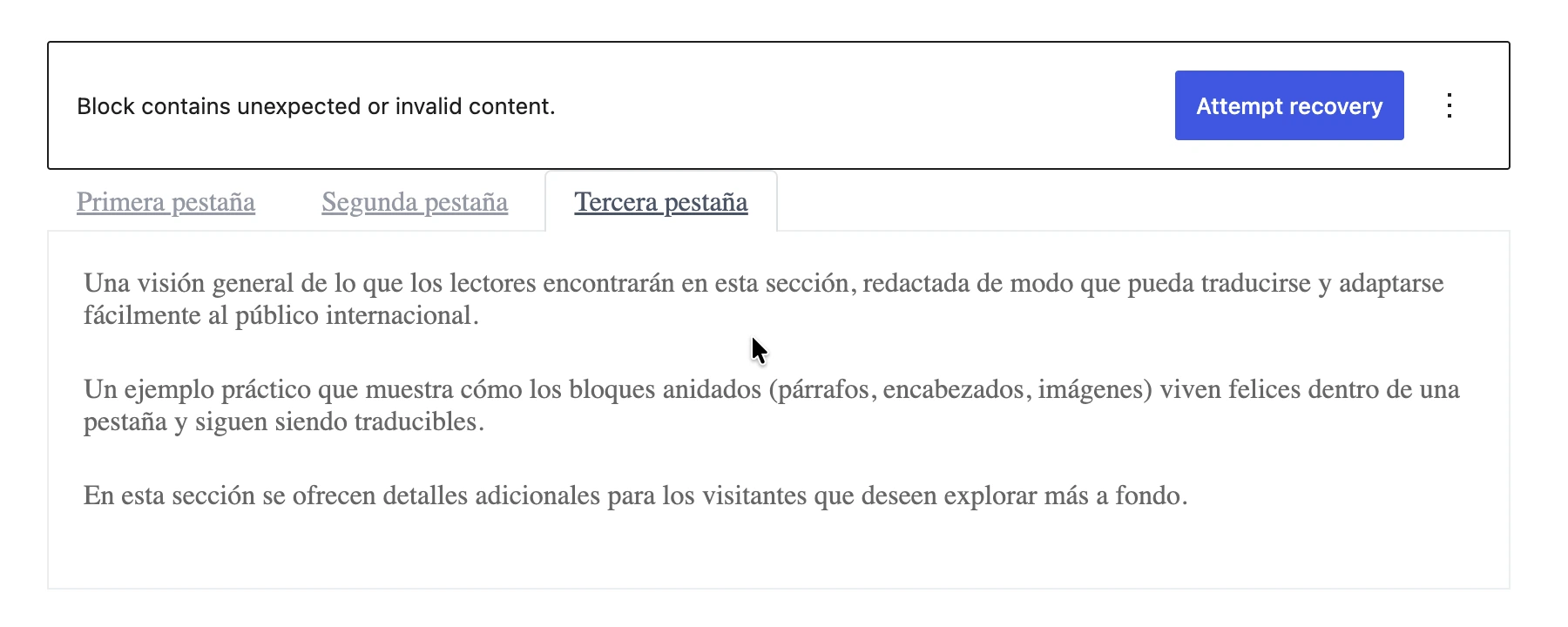
자세한 내용은 번역 후 일부 블록에 「Attempt Recovery」가 필요한 이유를 참조하세요.
특정 속성의 번역 비활성화
wpml-config.xml을 통해 정의된 특정 속성(또는 블록의 모든 속성)의 번역을 비활성화하려면 gatompl:use_wpml_config_for_block_type 필터에서 false를 반환합니다:
add_filter(
'gatompl:use_wpml_config_for_block_type',
static function (bool $enabled, string $blockTypeName, string $ruleKind): bool {
// Stop reading wpml-config.xml rules for greenshift-blocks/button
if ($blockTypeName === 'greenshift-blocks/button') {
return false;
}
return $enabled;
},
10,
3
);Kadence Blocks
Kadence Blocks 플러그인의 모든 블록은(wpml-config.xml 경유로)자동으로 지원됩니다.
다음 블록은 번역 후 프론트엔드에서는 올바르게 렌더링되지만 에디터에서 열면 Attempt Recovery 알림이 표시될 수 있습니다:
kadence/single-iconkadence/tabskadence/form
Attempt Recovery를 클릭하면 블록의 HTML이 재구성되지만, 선택 사항입니다 — 프론트엔드 출력은 이미 올바른 상태입니다(자세히 읽기).
Greenshift Blocks
Greenshift의 모든 블록은(wpml-config.xml 경유로)자동으로 지원됩니다.
Greenshift의 번역된 블록은 일반적으로 HTML을 재생성하기 위해 에디터에서 각 블록의 Attempt Recovery를 클릭해야 합니다(자세히 읽기).
GenerateBlocks
GenerateBlocks 및 GenerateBlocks PRO의 블록:
- Container
- Grid
- Text
- Button
- Headline
- Image
- Query
- Shape
- Site Header
- Accordion
- Tabs
- Navigation
Yoast SEO
이 블록들은 단순 문자열만 지원됩니다. HTML 태그(링크, 이미지, strong이나 italic 같은 HTML 스타일, 줄바꿈 등)를 포함하는 문자열은 지원되지 않습니다.
자세한 내용은 가이드 모든 Gutenberg 블록을 번역할 수 있나요?를 참조하세요.
Yoast SEO의 블록:
- Yoast How-to
- Yoast FAQ
추가 블록 지원
애플리케이션의 커스텀 블록이나 서드파티 플러그인의 블록을 번역할 수 있습니다.
자세한 내용은 추가 Gutenberg 블록 번역 가이드를 확인하세요.
동기화 패턴 번역
WordPress의 기본 외모 > 패턴 페이지는 동기화 패턴(재사용 가능한 블록이라고도 함)의 번역을 지원하지 않습니다. 그 이유는 다음과 같습니다:
- Polylang은 언어를 선택하는 위젯을 추가하지 않습니다(Polylang PRO만 지원)
- 대량 작업을 제공하지 않아 기존 패턴을 번역할 수 없습니다
이러한 이유로, Gato AI Translations for Polylang은 메뉴 항목 Patterns (Gutenberg) 아래에 표준 Patterns CPT 페이지를 제공하여 이러한 기능을 활성화합니다.
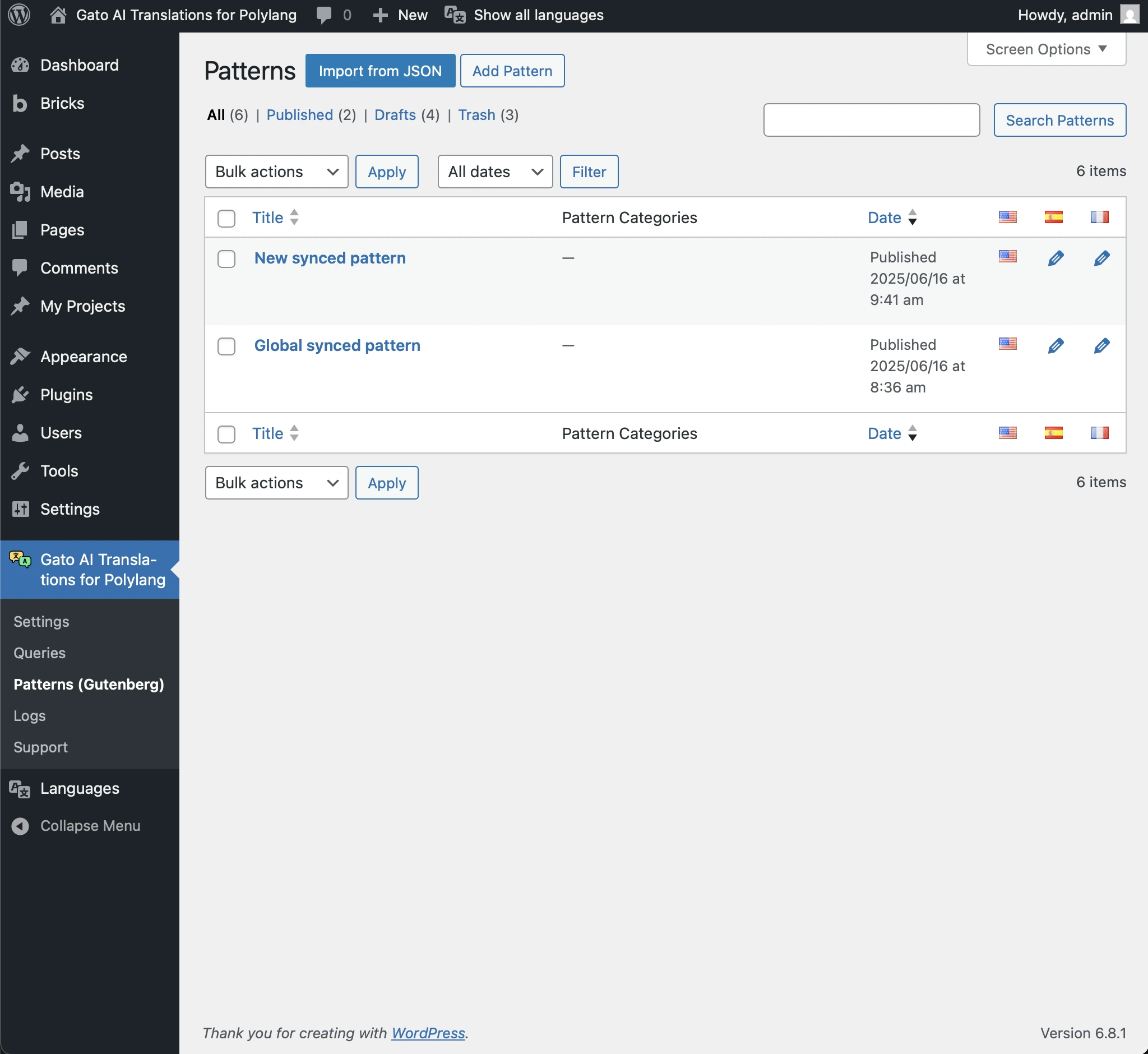
이 화면에서 패턴을 번역할 수 있습니다(다른 CPT와 유사한 방식으로):
- 게시 시 새 패턴 자동 번역(Add Pattern 화면에서)
- 대량 작업을 사용하여 기존 패턴 수동 번역
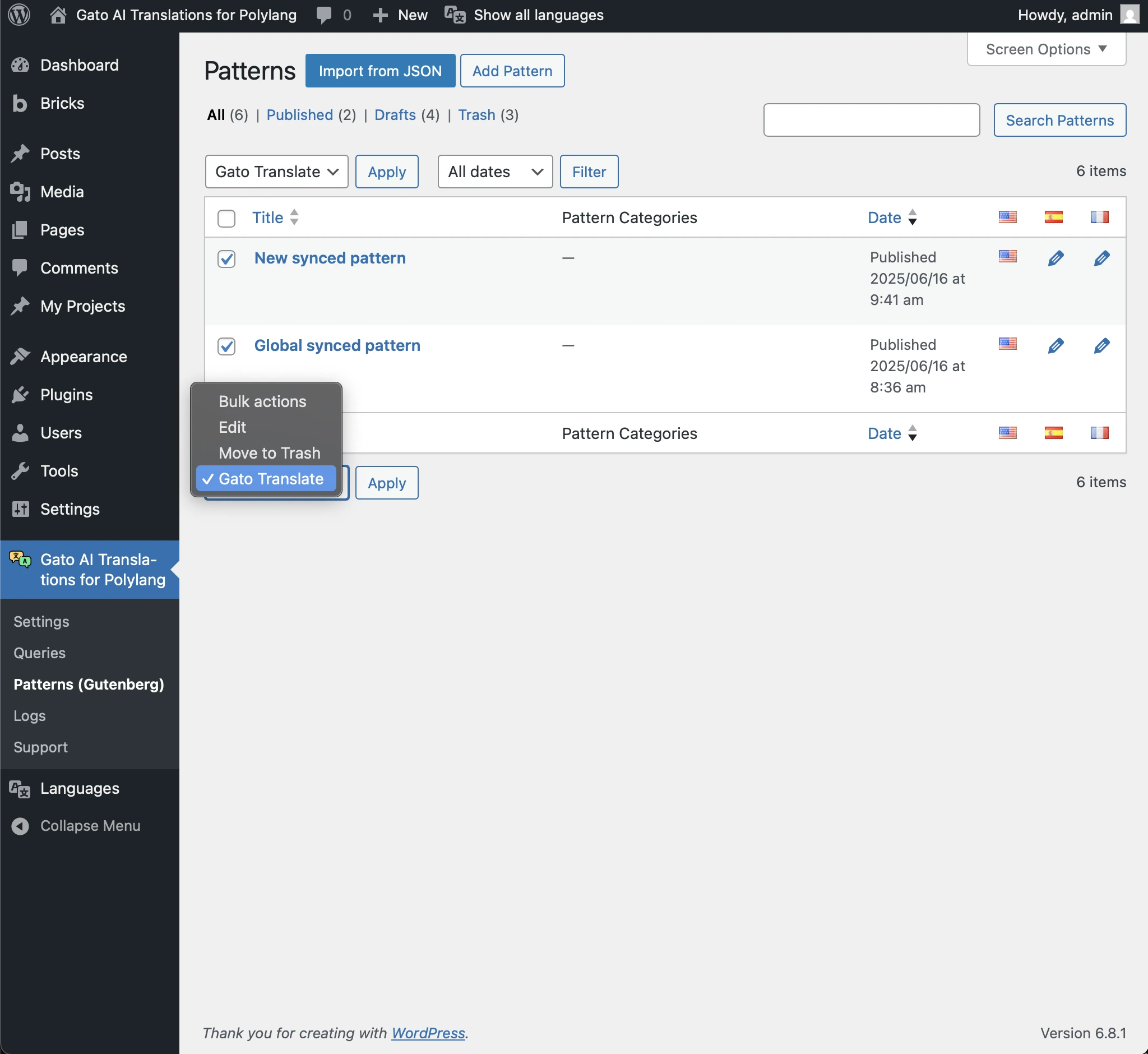
이 화면에는 번역된 패턴도 표시됩니다:
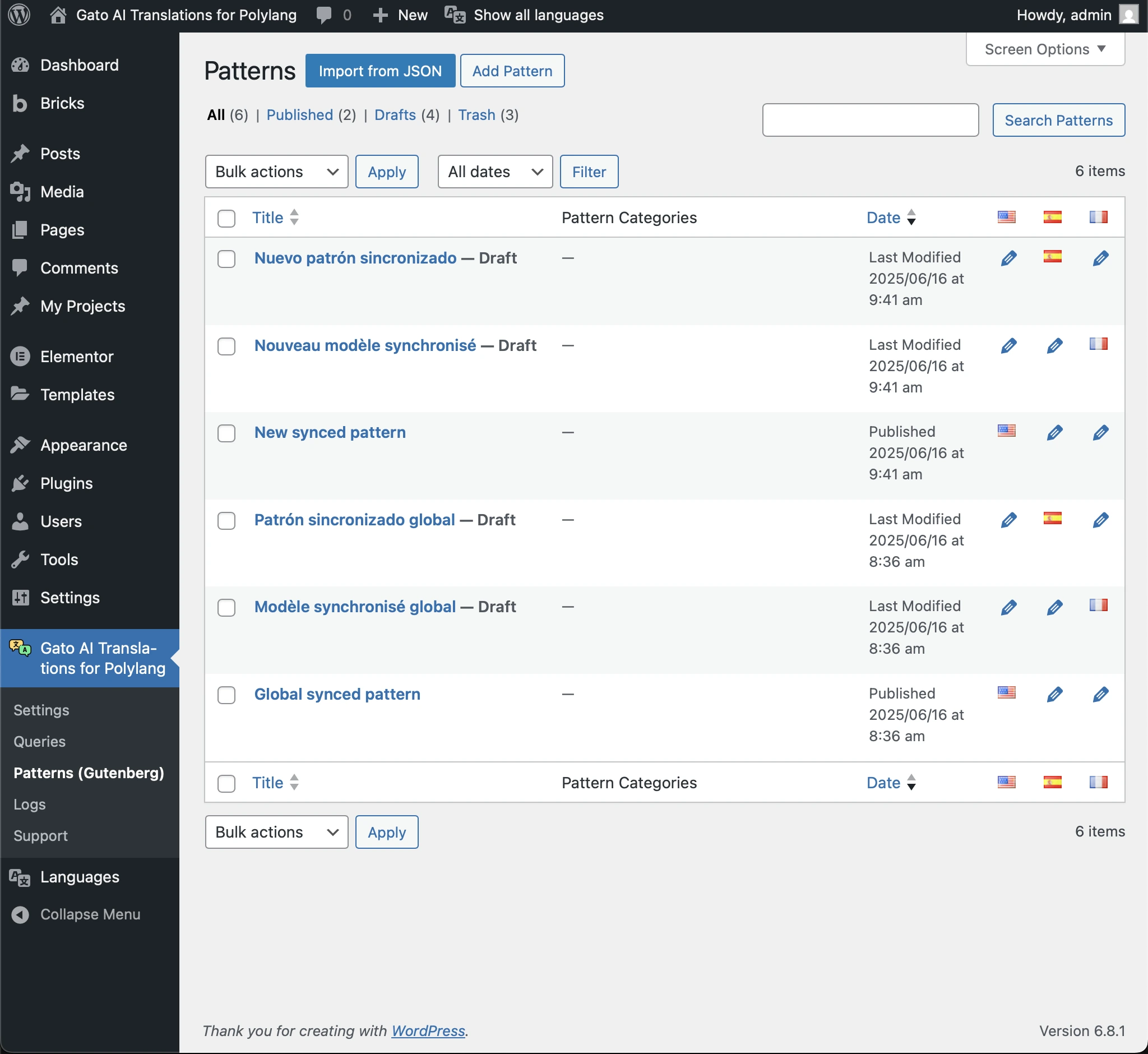
커스텀 패턴 페이지 비활성화
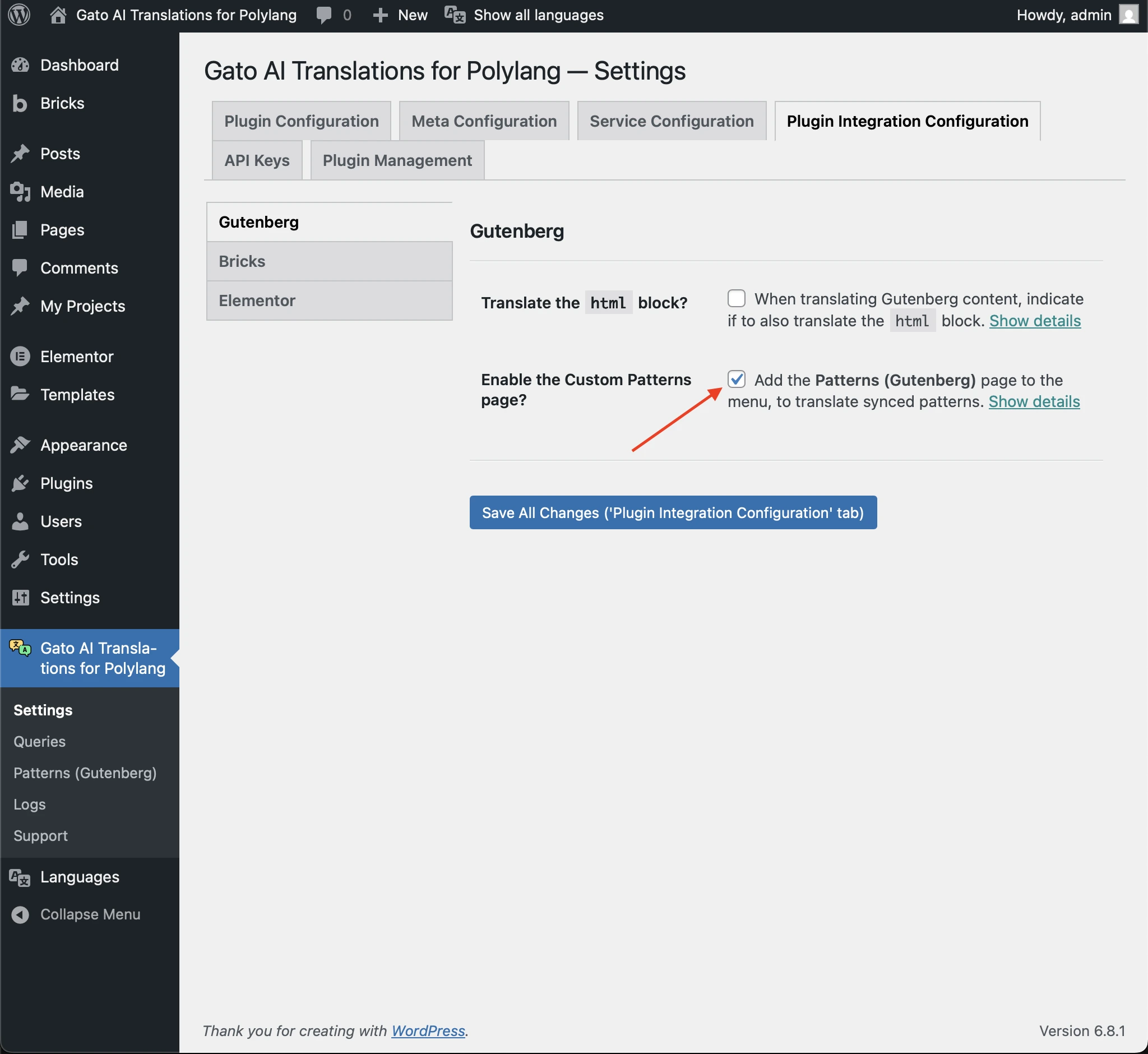
메뉴의 Patterns (Gutenberg) 페이지 표시를 비활성화할 수 있습니다.
비활성화하려면 설정의 Plugin Integration Configuration > Gutenberg로 이동하여 Enable the Custom Patterns page 체크박스의 체크를 해제합니다.