

사용법API 요청 디버깅
API 요청 디버깅
번역 제공업체(ChatGPT, Claude, Google Translate 등)로 전송된 요청과 그 응답을 디버깅하려면, 로그 및 알림 설정에서 🔵 Info 심각도 수준을 활성화하세요.
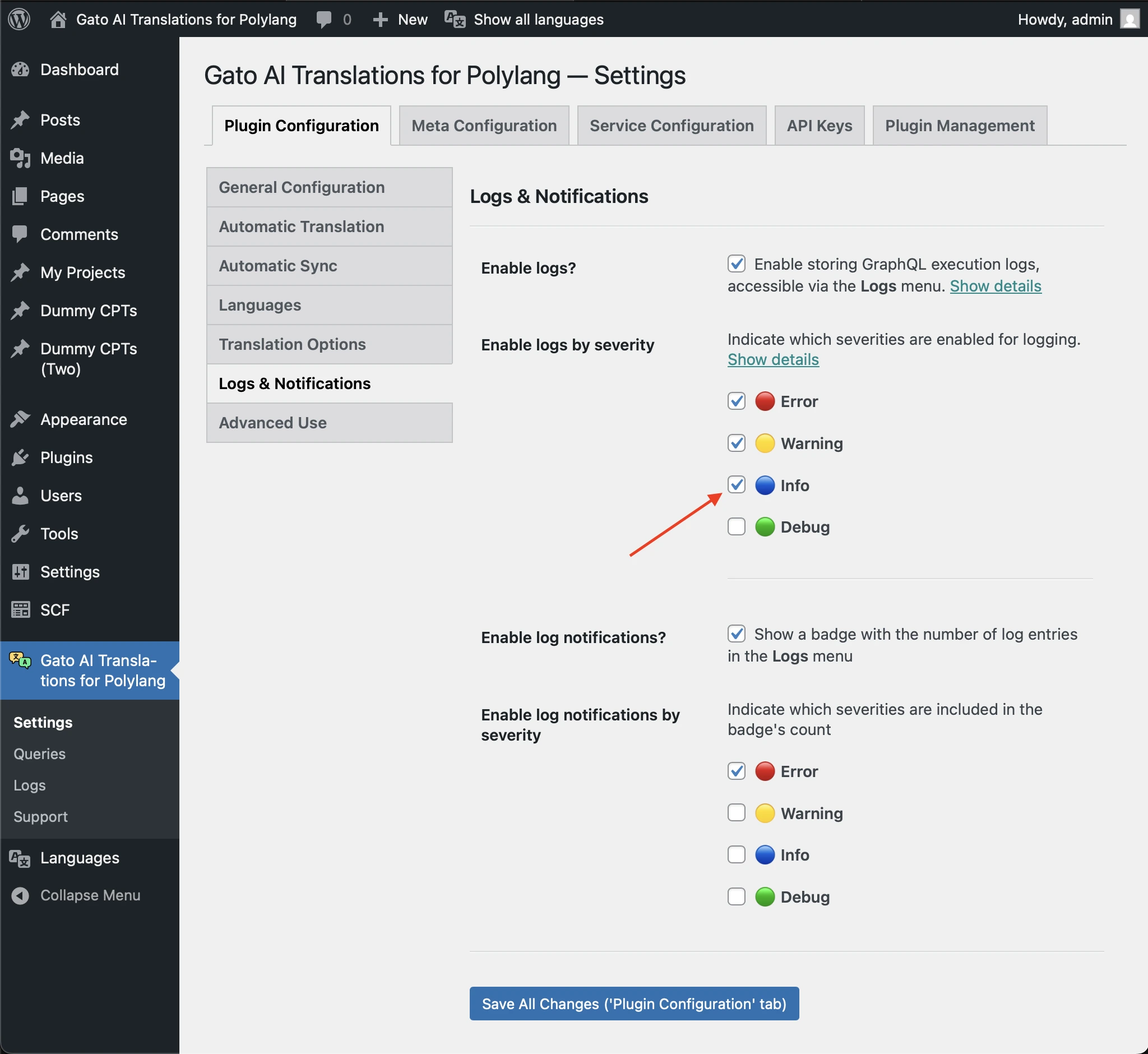
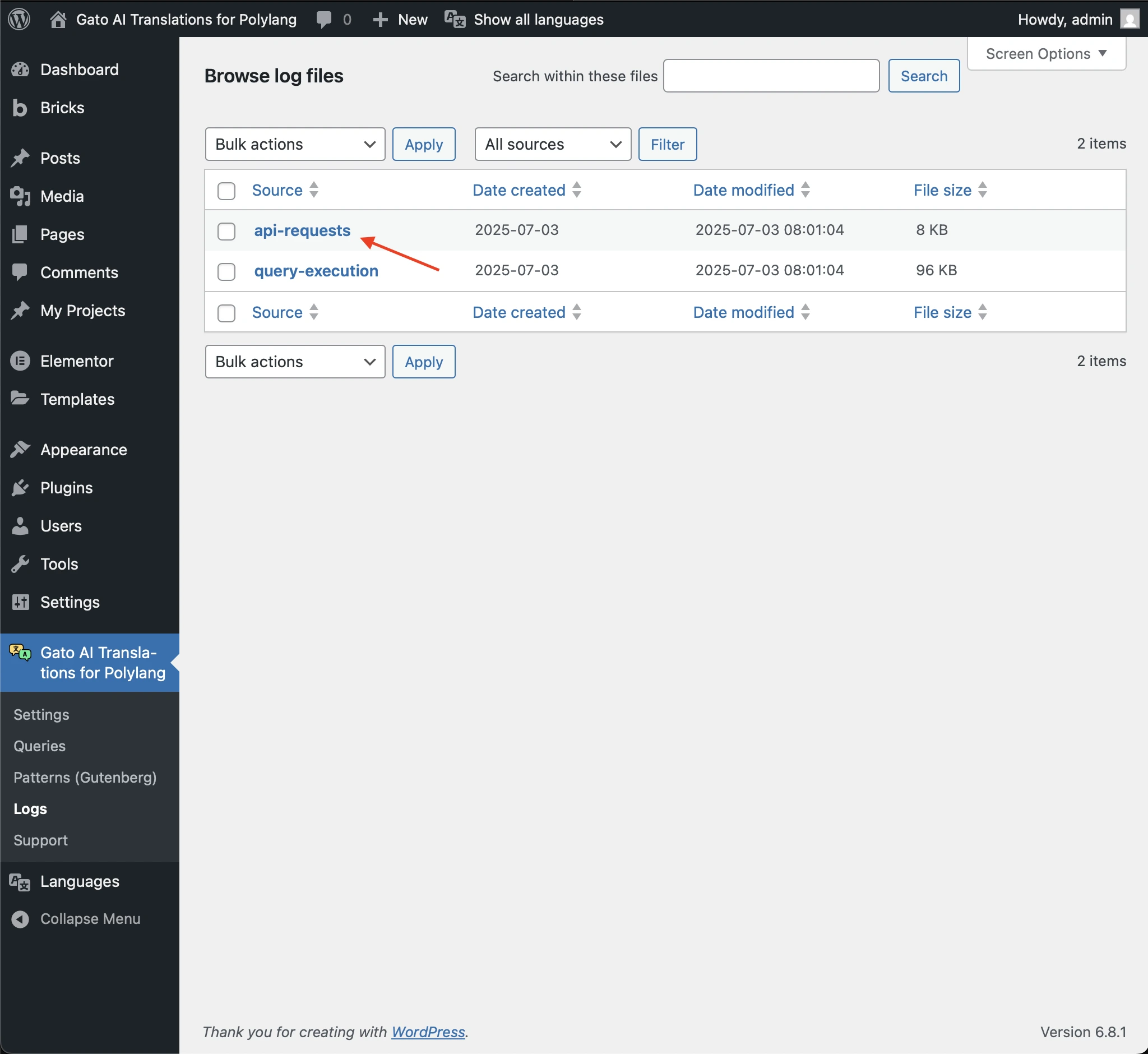
API 요청 로그에 액세스하기
로그는 api-requests 항목 아래에 저장됩니다.
기록되는 내용
AI 제공업체의 경우, api-requests 항목에는 다음에 대한 상세 정보가 포함됩니다:
- AI 제공업체로 전송된 프롬프트
- 수신된 전체 응답
- 통신 중 발생한 오류 또는 문제
- 사용된 모델
- 사용된 토큰 수
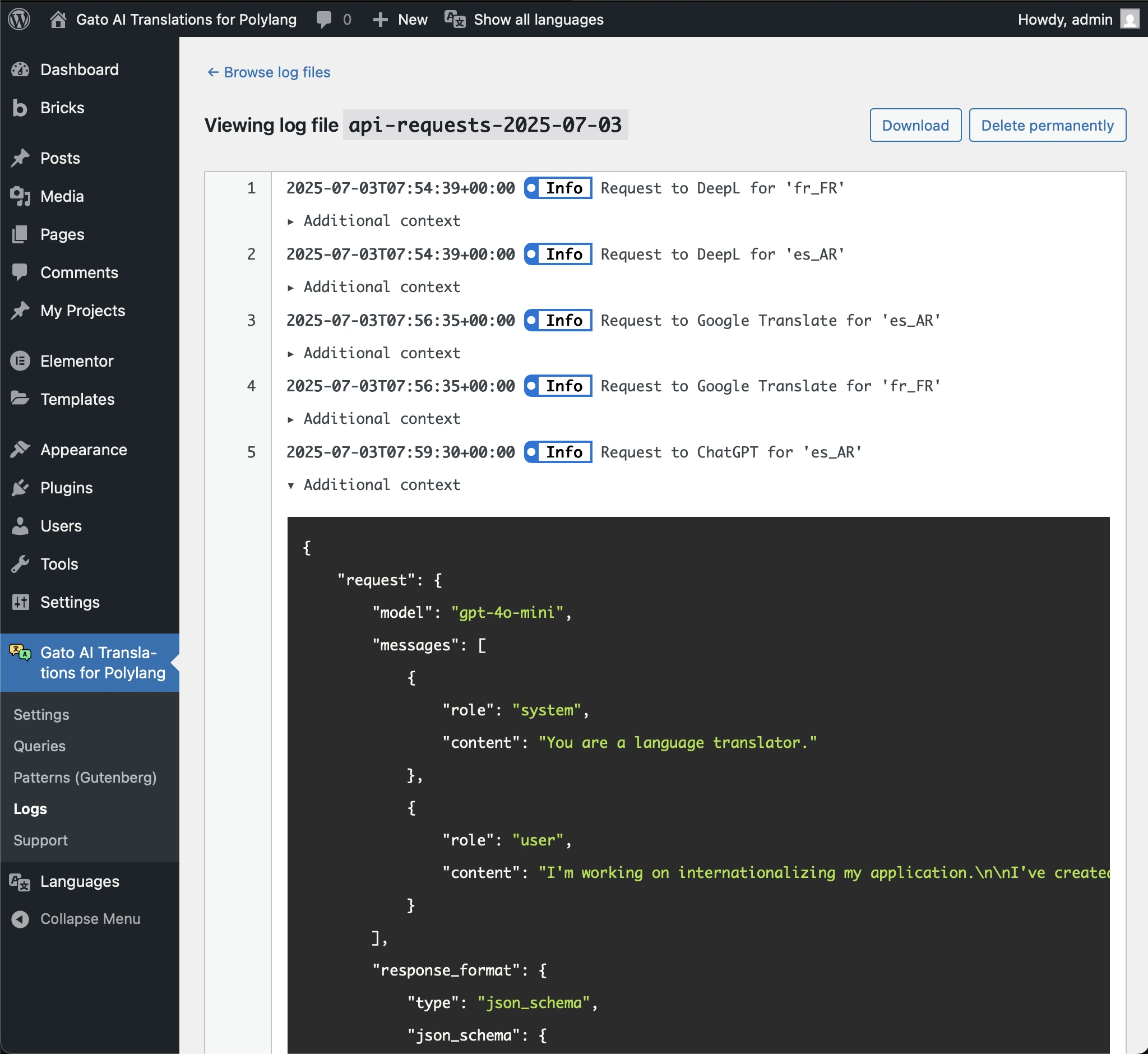
예를 들어, 다음 「Additional context」 JSON은 Claude로 전송된 요청과 그 응답의 세부 정보를 보여줍니다:
{
"request": {
"model": "claude-3-7-sonnet-latest",
"max_tokens": 128000,
"messages": [
{
"role": "user",
"content": "You are a language translator.\r\n\r\nI'm working on internationalizing my application.\r\n\r\nI've created a JSON with sentences in English. Please translate the sentences to Spanish from Argentina.\r\n\r\nIf a sentence contains HTML, do not translate inside the HTML tags.\n\nReturn ONLY a JSON object with a single key \"translations\" containing an array of translated strings.\nDo not include any explanations, markdown formatting, or code blocks.\nThe response must be a valid JSON object starting with { and ending with }.\n\nThis is the JSON:\n\n[\"HTTP caching improves performance\",\"Categories Block\",\"Latest Posts Block\",\"Democratizing publishing\"]"
}
]
},
"response": {
"id": "msg_01EC2Qp2fMw6VQY8tGESFrh2",
"type": "message",
"role": "assistant",
"model": "claude-3-7-sonnet-20250219",
"content": [
{
"type": "text",
"text": "{\n \"translations\": [\n \"El caché HTTP mejora el rendimiento\",\n \"Bloque de categorías\",\n \"Bloque de entradas recientes\",\n \"Democratizando la publicación\"\n ]\n}"
}
],
"stop_reason": "end_turn",
"stop_sequence": null,
"usage": {
"input_tokens": 138,
"cache_creation_input_tokens": 0,
"cache_read_input_tokens": 0,
"output_tokens": 61,
"service_tier": "standard"
}
}
}